The widget catalogue
A new Home page, two widgets, and a roadmap to become a design-focused DeFi aggregator.

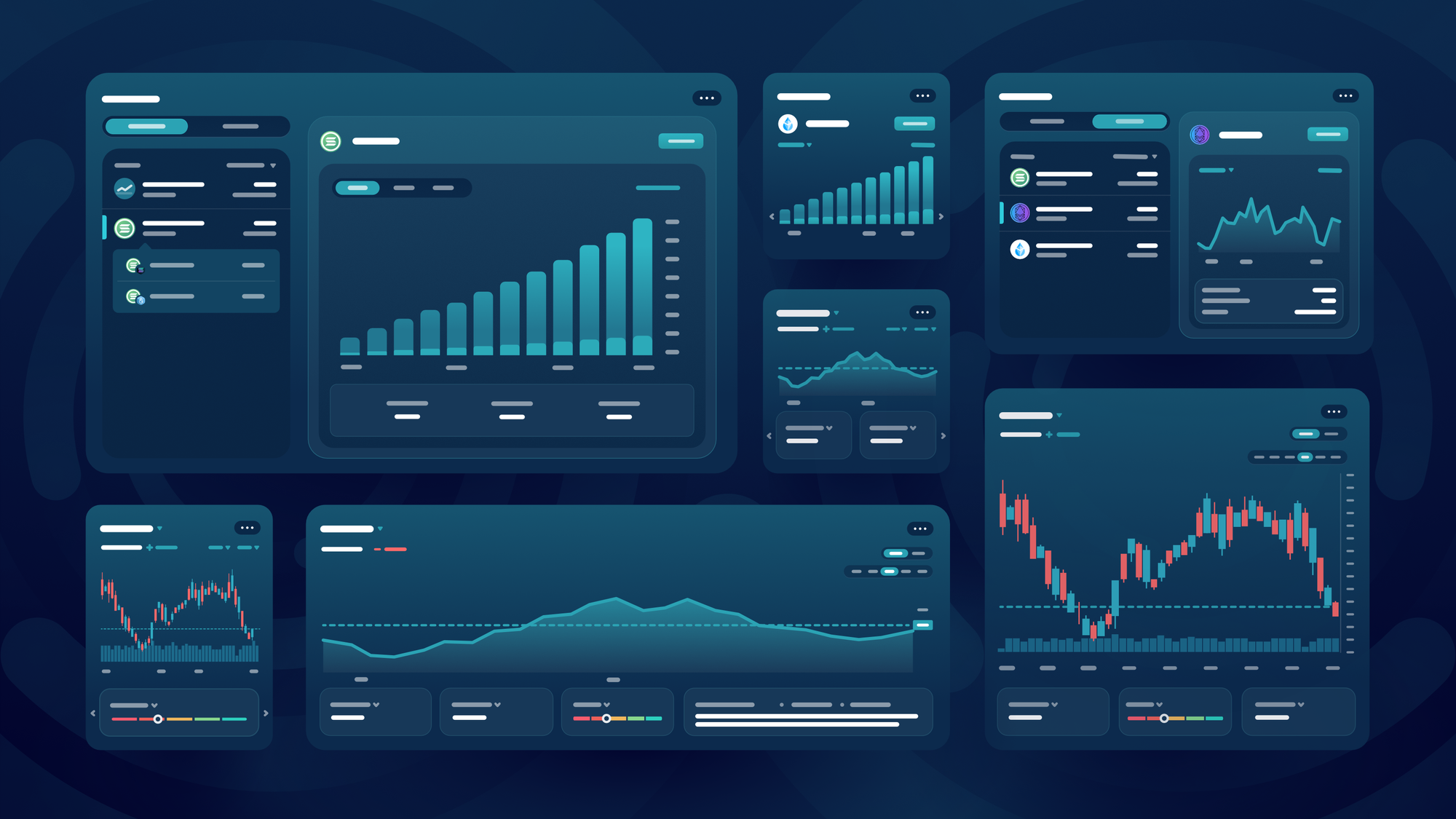
Balanced’s long-awaited Home page and widget catalogue are now live. The catalogue starts with two: a price chart widget and a vault widget with strategies powered by SODAX.
The widget launch has been more than a year in the making. Our vision: unify DeFi in one place, with customisable widgets that are easier to use than the apps they replace.
Learn more about the widget update and why you should care.
Why widgets?
The shift to Balanced v2 gave us a rare opportunity: as we were no longer tied to a single protocol, we had complete freedom to decide what belonged in the app.
We knew that one protocol and one set of tools were not enough. People are already forced to juggle multiple apps across multiple blockchains. Why would they care about ours?
To reduce your time and effort as much as possible, we decided to unify DeFi through widgets. Designed to be useful, direct, customisable, and easier to use than the original apps. With a widget catalogue that supports a wide range of DeFi protocols and tools, you’ll have access to everything you need from a single page.
Use the widgets you want and ignore the rest to build your DeFi experience around you.
How to use the widget catalogue
Go to app.balanced.network and click Add Widget to open the catalogue. Find the widget you want and click + to add it to your Home page. Then you can customise it:
- Resize: Click and drag from the bottom right.
- Move: Click, drag, and drop anywhere on the page.
- Manage: Click ... in the top right to delete, duplicate, and adjust widget-specific settings.
You can resize, move, adjust, duplicate, and delete each widget.
Need more room? You can create multiple spaces to help you focus on the task at hand:
- Create a space: Click New Space in the widget toolbar, or drag and drop a widget over it.
- Manage a space: Double-click to rename, click and drag to reorder, and click the X that appears on hover to delete.
Create, rename, reorder, and delete spaces. You can even drag and drop a widget on a space to move it.
Your widget settings will be saved in your browser. If you connect your wallet*, you can access your Home page from any device.
*As connected wallets share the same Home page, they will be linked through our syncing service.
Vault widget
Earn a return on your crypto with the strategies in the vault widget.
It supports three leveraged staking strategies from SODAX: JitoSOL, weETH, and wstETH. These strategies supply staked assets to the money market, borrow the unstaked version, then stake it and supply again, on repeat to maximise the rewards.
You can deposit and withdraw any asset from any connected chain for a 0.5% fee.
Participate in a vault strategy
The SODAX vault strategies let you deposit any asset from any chain.
- Click a vault strategy to view more details, then click Open Position.
- Choose an asset to deposit, then enter the amount.
- Click Deposit and complete the transaction.
Your funds will be swapped into the underlying asset and deposited into the vault. Your position will increase over time as it earns interest, and is tied to the chain you deposit from.
Withdraw funds from a vault strategy
Choose which asset to receive when you withdraw your funds.
- Open the vault strategy you want to adjust, then click Manage Position.
- Go to the Withdraw tab, and choose the chain to withdraw from if you used more than one.
- Choose your preferred asset to receive, then use the slider to set the amount.
- Click Withdraw and complete the transaction.
Caution: these vault strategies use leverage, so they come with risk. Although the staked and unstaked asset prices move together, your funds could be liquidated if the staked asset ever depegs.
Price Chart widget
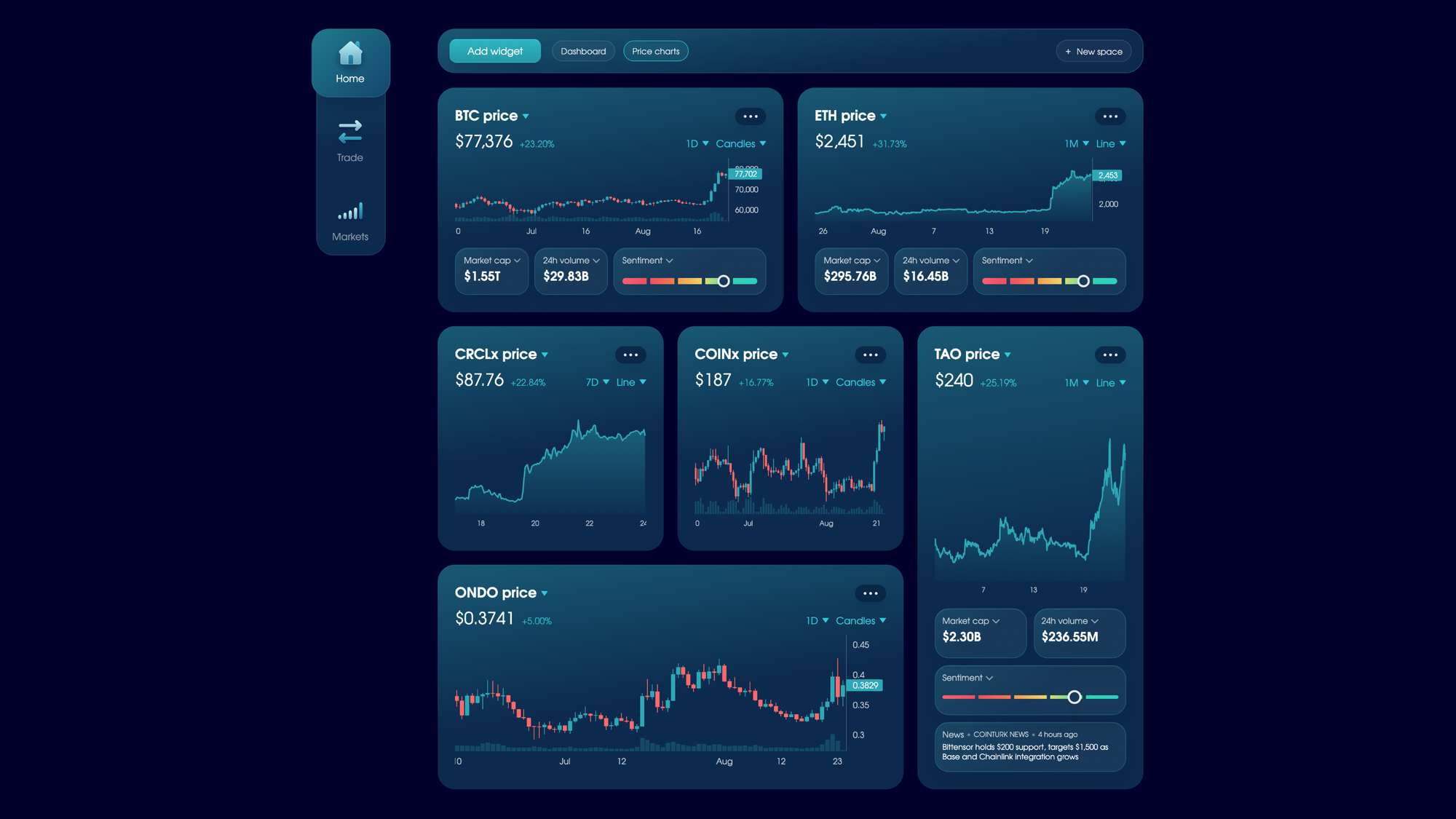
Use the price chart widget to keep an eye on your favourite cryptocurrencies.
- Browse Balanced’s supported assets, or start typing to search CoinGecko.
- Monitor an asset’s market cap, 24-hour volume, circulating supply, and the latest news.
- Track sentiment based on recent activity (calculated with Chutes).
You can view your asset’s price history in line or candle form, and hide the metadata via the settings if you want to focus.
What’s coming next
Now that we have the widget infrastructure in place, we’ll continue to roll out new widgets one by one. Here are just some we plan to add:
- Migration manager (for those who converted BALN to SODA)
- Market sentiment
- Portfolio (including the ability to track active trades)
- Full activity history (including export)
- Wallet
- Exchange
- Money market
- Liquid staking
If there are any other widgets you want us to add to improve your DeFi experience, let us know.